In today’s digital-first healthcare environment, patients often search online before choosing a hospital, clinic, or healthcare provider. Whether someone is looking for emergency care, a specialist, diagnostic services, or a nearby hospital, Google Search and Google Maps can strongly influence their decision. This makes Google My Business for hospitals an important part of a hospital’s local digital marketing strategy.
Google My Business, now officially known as a Google Business Profile (GBP), allows hospitals to manage how their business appears across Google Search and Google Maps. A properly optimized profile can help hospitals provide accurate information, improve local visibility, and make it easier for potential patients to find and contact them.
What Is Google My Business for Hospitals?
Google My Business for hospitals refers to the process of creating and optimizing a hospital’s Google Business Profile so patients can easily find essential information online.
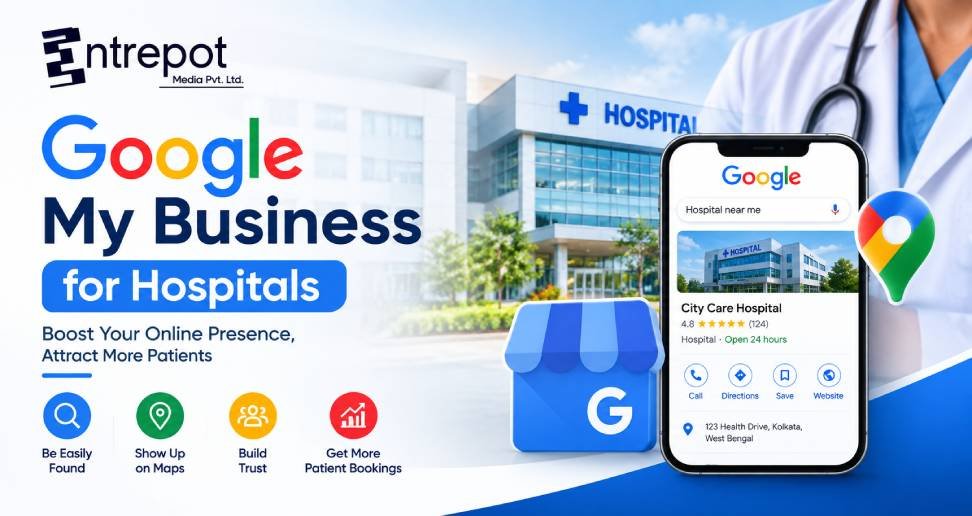
A hospital profile can display information such as:
- Hospital name
- Address and location
- Phone number
- Website
- Opening hours
- Healthcare services
- Photos
- Patient reviews
- Directions
- Frequently asked questions
- Updates and posts
When people search for terms such as “hospital near me,” “multispeciality hospital in Kolkata,” or “emergency hospital near me,” a well-maintained Google Business Profile can help a hospital appear prominently in local search results.
Why Google Business Profile Is Important for Hospitals
Healthcare searches are often location-based. Patients generally prefer healthcare facilities that are convenient to reach and offer the services they need. A Google Business Profile helps hospitals communicate this information directly through Google.
An optimized profile can help patients quickly discover the hospital’s location, contact details, available services, and other useful information. It also creates an important online touchpoint between the hospital and potential patients.
For hospitals operating in competitive cities, local visibility can be particularly valuable because multiple healthcare providers may offer similar services.
Optimize the Hospital’s Basic Information
The first step in optimizing Google My Business for hospitals is ensuring that all basic information is complete and accurate.
The hospital name should be represented consistently with the real-world business name. The address, phone number, website, and operating hours should also be kept up to date.
Hospitals should pay particular attention to information that can affect patient visits. For example, if emergency services operate 24/7 but outpatient departments have different timings, the available information should make these distinctions clear through appropriate profile content and website information.
Incorrect information can create confusion and may result in missed calls, unnecessary visits, or a poor patient experience.
Choose Relevant Categories
Google Business Profile categories help Google understand what a business provides. Hospitals should select the most appropriate primary category available for their business and use relevant additional categories where appropriate.
The selected category should accurately represent the hospital rather than being chosen simply because it contains a popular keyword.
For example, a hospital should not select unrelated categories just to target additional searches. Accurate categorization provides Google and users with clearer information about the healthcare organization.
Add Healthcare Services
One of the most useful sections of a hospital’s Google Business Profile is its services information.
Hospitals can highlight relevant treatments, departments, and healthcare services that they actually provide. Depending on the hospital, these may include:
- Cardiology
- Gynecology
- Pediatrics
- Orthopedics
- General Surgery
- Neurology
- Nephrology
- Diagnostic Services
- Emergency Care
- Maternity Services
Each service should be described clearly and accurately. Avoid stuffing keywords into service descriptions. Instead, focus on explaining what the service is and how it is relevant to patients.
Use High-Quality Hospital Photos
Visual content can make a hospital profile more informative and trustworthy. Hospitals can upload relevant images of their facility, reception area, departments, diagnostic areas, doctors, and other appropriate spaces.
Images should be genuine, clear, and professionally presented. Regularly adding fresh photographs can also keep the profile active and informative.
However, hospitals should always consider patient privacy before publishing photographs. Images should not reveal identifiable patient information without appropriate permission.
Encourage Genuine Patient Reviews
Reviews are an important part of a hospital’s online presence. Patients may look at reviews when researching a healthcare facility, especially when comparing multiple options.
Hospitals can encourage genuine patients to share their experiences through Google. Reviews should never be fabricated, purchased, or manipulated.
It is also useful to respond professionally to reviews. Positive feedback can receive a courteous thank-you, while negative feedback should be handled respectfully without revealing confidential patient information.
A response could acknowledge the concern and encourage the individual to contact the hospital through an appropriate private channel.
Publish Google Business Profile Posts
Google Business Profile posts can be used to share useful and timely information with potential patients.
Hospitals can create posts about:
- New medical services
- Health awareness campaigns
- Doctor consultations
- Diagnostic services
- Hospital updates
- Health education content
- Special healthcare programs
- Department information
The goal should be to provide useful information rather than repeatedly publishing promotional messages.
For example, instead of simply writing “Visit our hospital today,” a hospital could publish educational content about when someone should consider consulting a particular specialist.
Add Frequently Asked Questions
Patients often have practical questions before visiting a hospital. Answering common questions can make the profile more useful.
Questions may include:
- What are the hospital’s visiting hours?
- Is emergency care available?
- How can I book an appointment?
- Which medical departments are available?
- Does the hospital provide diagnostic services?
- Where can patients find parking?
- How can I contact the hospital?
Answers should be accurate and updated whenever hospital policies change.
Maintain NAP Consistency
NAP stands for Name, Address, and Phone Number. Consistency of these details across the hospital’s website, Google Business Profile, directories, and other online platforms is important for maintaining accurate local information.
If the hospital has multiple branches, each location should have appropriate and accurate information rather than mixing details between locations.
The website should also clearly identify each hospital location and its corresponding services.
Connect Google Business Profile With Local SEO
Google Business Profile optimization works best when it is part of a broader local SEO strategy.
The hospital website can create useful pages for its major departments, treatments, doctors, and locations. These pages can provide detailed information that may not fit into a Google Business Profile.
For example, a hospital serving Newtown could create dedicated pages around relevant services and locations while maintaining consistent business information across its online presence.
This combination of website SEO and Google Business Profile optimization can create a stronger local search presence.
Track Profile Performance
Hospitals should regularly monitor their Google Business Profile performance. Useful insights can include how users discover the profile, interactions with the profile, website visits, direction requests, and calls.
Monitoring these actions can help identify which parts of the profile are generating engagement and where improvements may be needed.
For example, if many users request directions but relatively few visit the hospital website, the hospital may want to improve its website information or appointment journey.
Common Mistakes Hospitals Should Avoid
While optimizing Google My Business for hospitals, avoid common mistakes such as:
- Adding inaccurate business information
- Using misleading keywords in the business name
- Creating duplicate profiles unnecessarily
- Uploading low-quality images
- Publishing misleading medical claims
- Buying or creating fake reviews
- Ignoring genuine patient feedback
- Sharing confidential patient information
- Leaving outdated opening hours
- Creating content solely for keyword stuffing
Healthcare marketing requires additional care because the information directly relates to patients and their decisions.
Conclusion
Google My Business for hospitals is an important component of local healthcare marketing. A complete and accurately managed Google Business Profile can help patients discover a hospital, understand its services, find its location, contact the facility, and access useful updates.
However, profile optimization should not focus only on rankings. Accurate information, helpful content, genuine reviews, quality photographs, appropriate services, and a positive patient experience should remain the priorities.
By combining Google Business Profile optimization with a strong healthcare website and broader local SEO strategy, hospitals can build a more useful and trustworthy digital presence for patients searching for healthcare services online.